Share your phone and your screen at the same time on video calls
Plug your phone into your Mac — it shows up in your browser, right beside your slides.
Works on Zoom, Microsoft Teams, Google Meet, FaceTime — anywhere you can share a window. A free side-panel extension for Chrome and Edge.
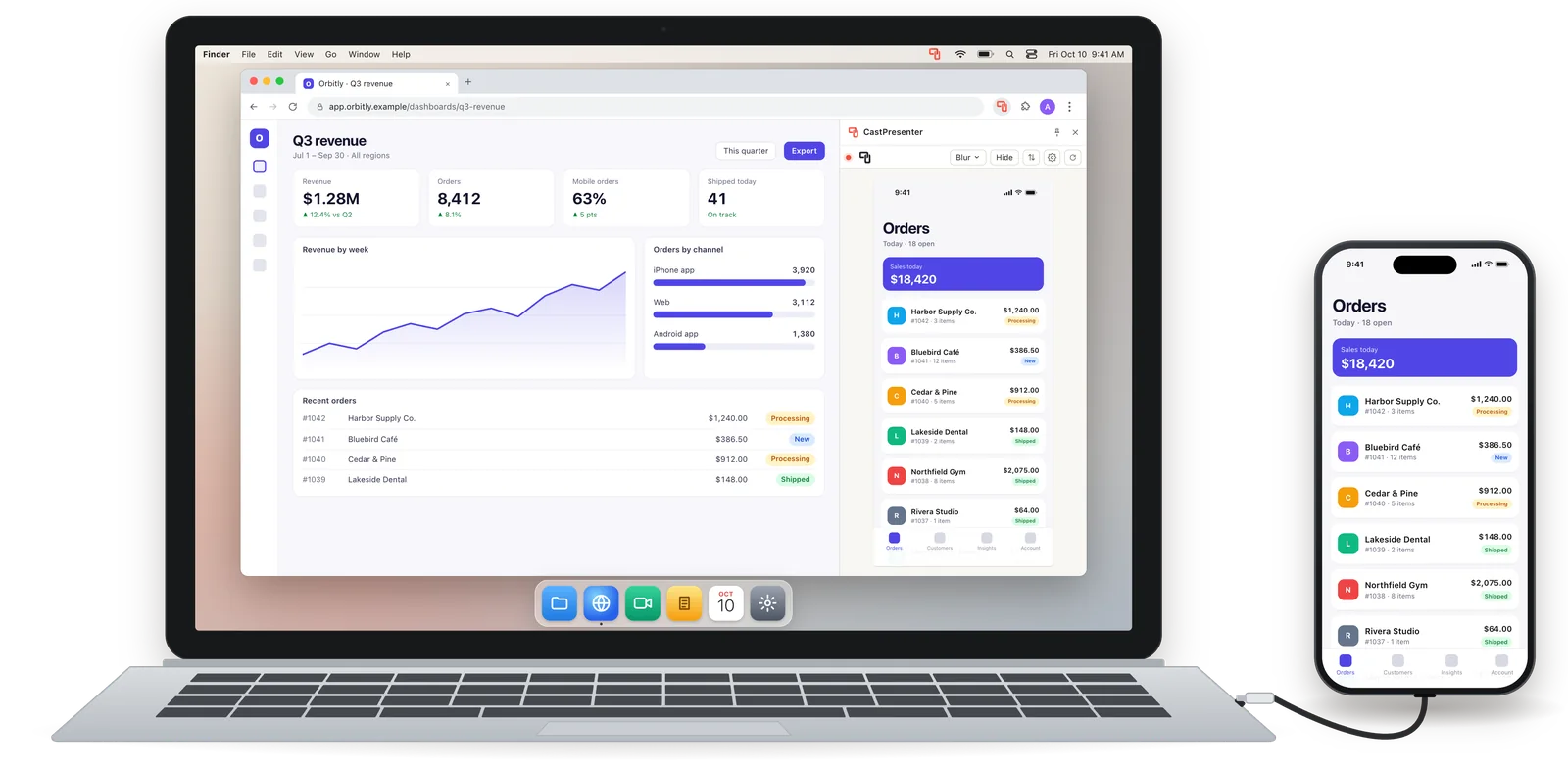
- Your phone, plugged into your Mac
- Live in your browser’s side panel
- The one window you share
See it in action.
Your phone, live beside your web app and shared on a call — in under 30 seconds.
Phone to cable to your Mac to one share.
One wire and three stops — the whole trip from your pocket to the call.
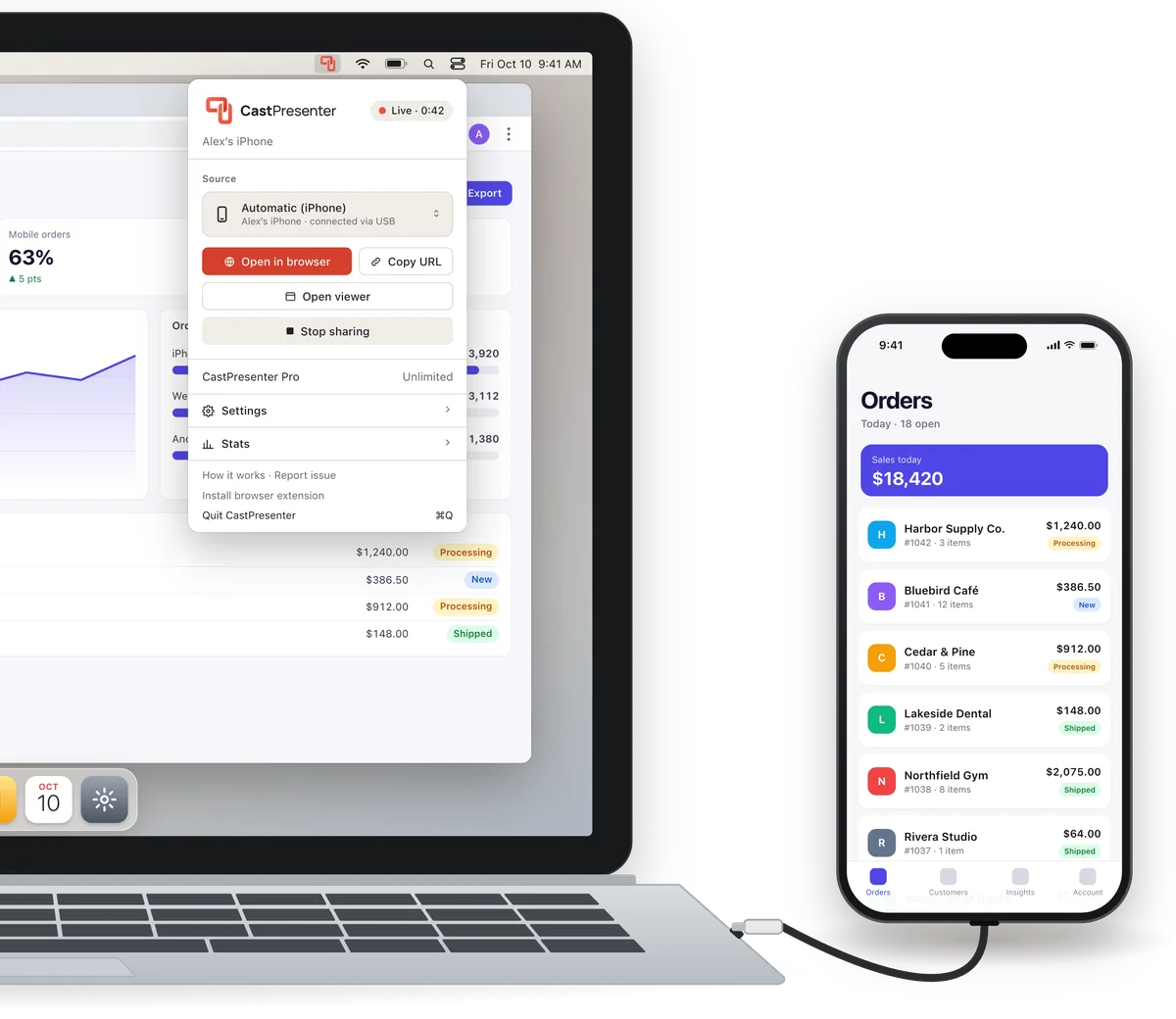
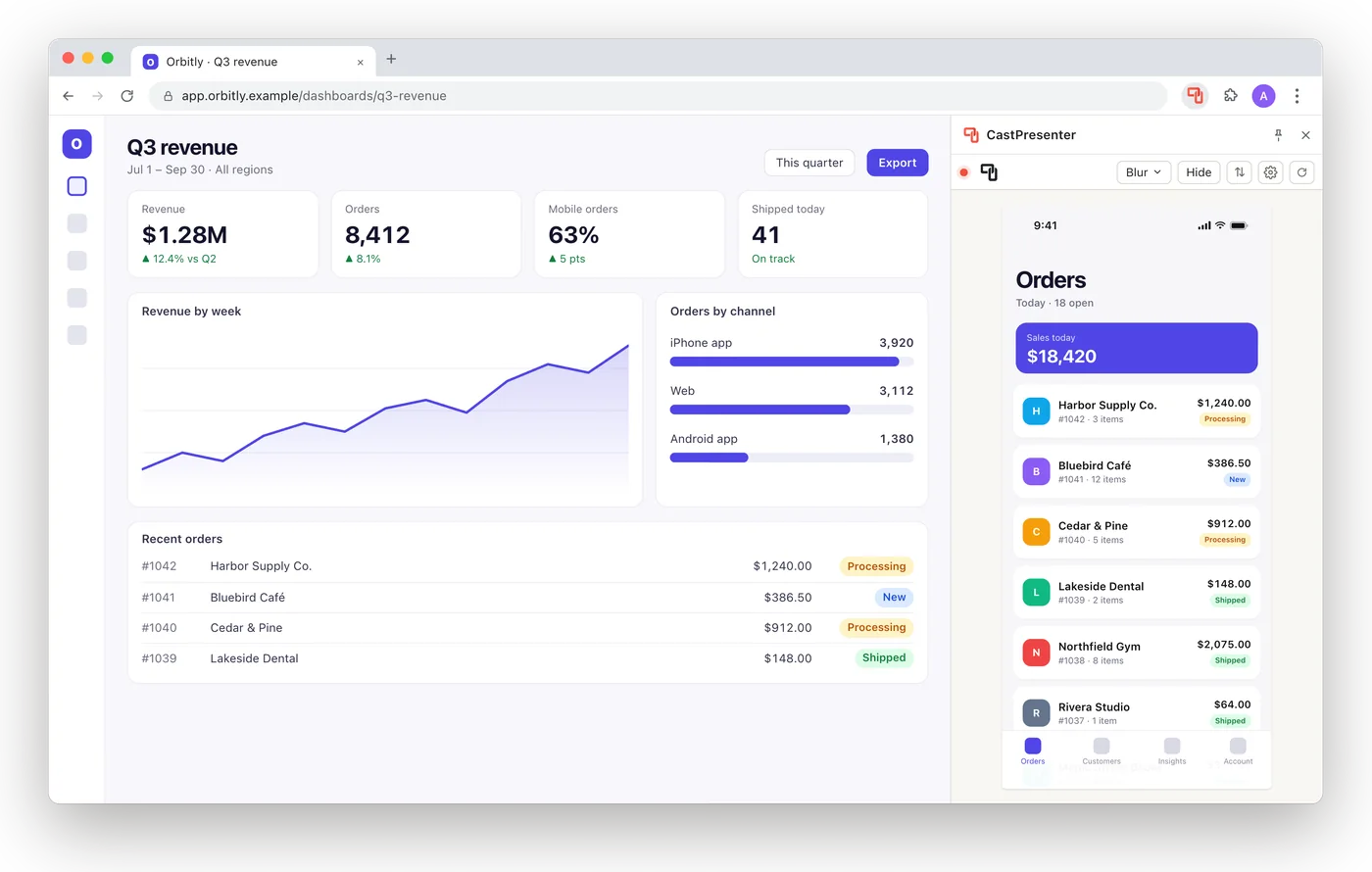
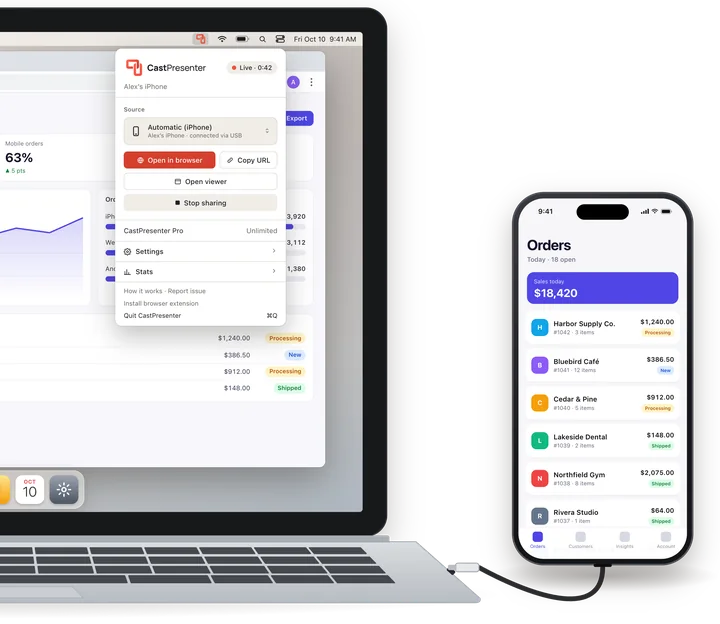
Plug in your phone
Use the cable you charge with — Lightning or USB‑C — then click Start sharing in CastPresenter’s menu bar. The first time, tap Trust on your phone and allow camera and microphone access on your Mac: that’s how CastPresenter receives the screen and sound. Nothing to install on the phone, no Wi‑Fi or AirPlay.
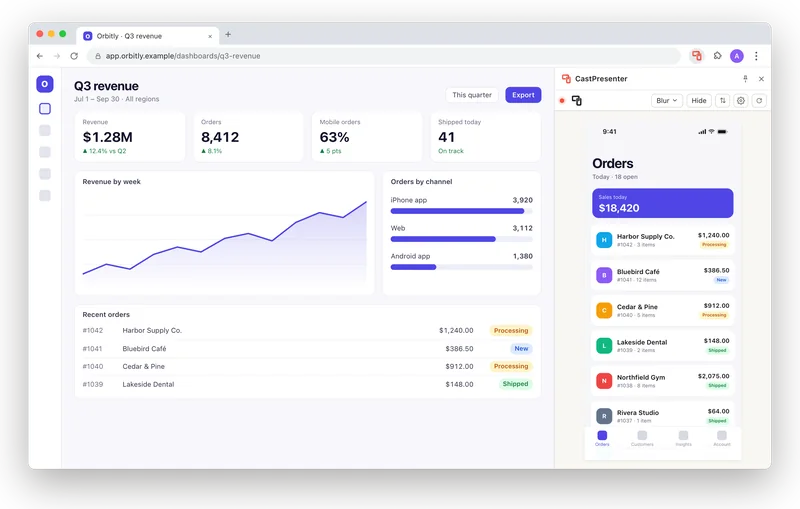
It appears in your browser
Open the CastPresenter side panel in Chrome or Edge and your phone is there, live, right beside your deck or web app. Rather skip the extension? Use the floating window.
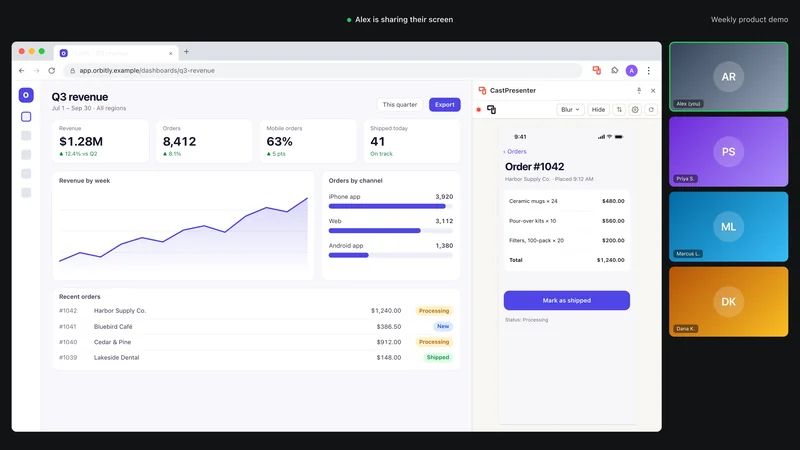
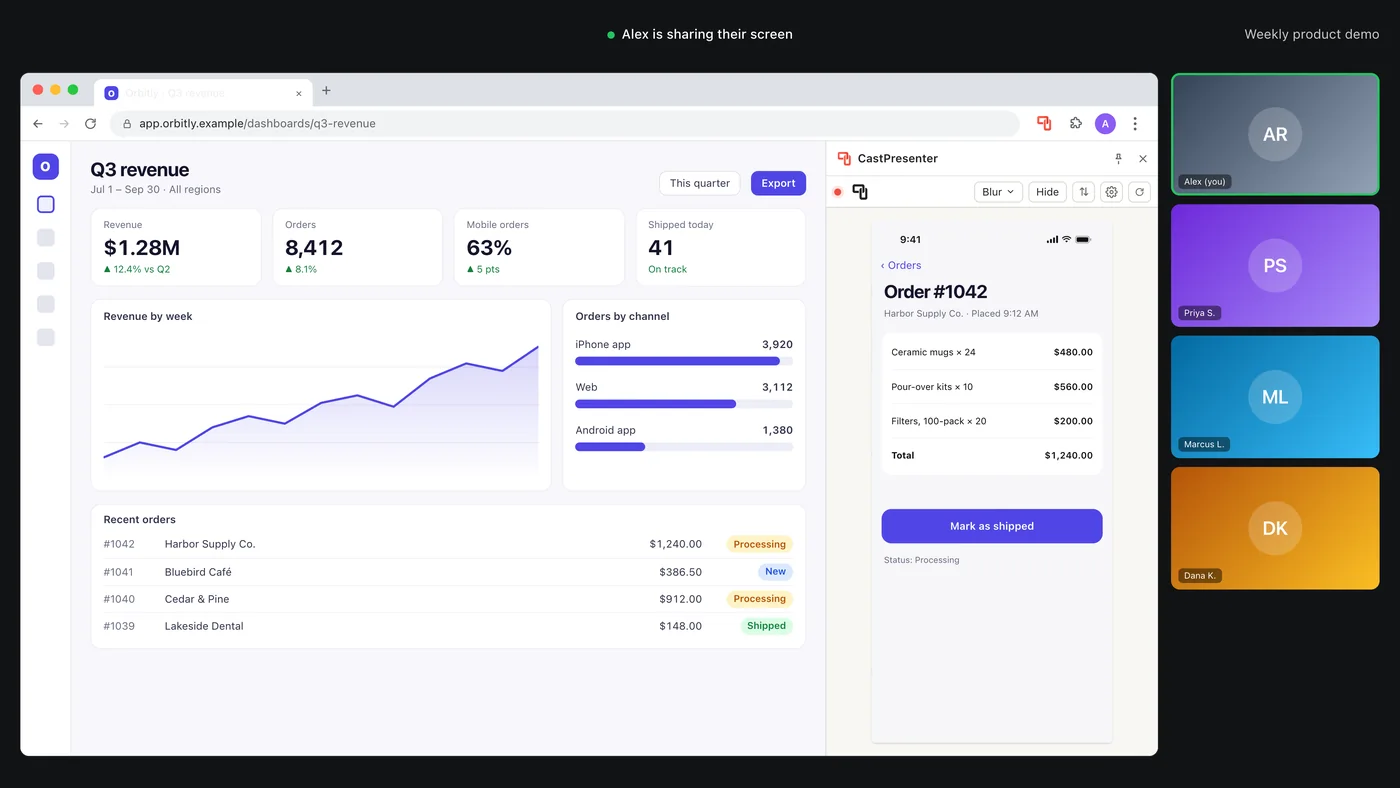
Share that one window
On Zoom, Teams, Meet or FaceTime, share the browser window. Your audience sees your web app and your phone together, and you never switch shares mid-demo.
No more swapping shares mid-demo.
Showing a phone on a call usually means juggling two shares while everyone waits. CastPresenter puts your phone inside the window you’re already sharing.
Without CastPresenter
- Stop sharing your screen
- Open QuickTime and pick your phone
- Share that window instead
- Swap back to your deck — and repeat
With CastPresenter
- Keep sharing — your phone is already there
The details that matter on a call.
- Hide it instantly
- One click on Hide in the side panel blurs or blacks out your phone for everyone watching — or press Control H while your browser is in front. Click again and it’s back. For the notification you didn’t plan on.
- Side panel · Blur or Black
- Dock it or float it
- Keep your phone in your browser’s side panel, or in a floating window of its own that can stay on top of everything else.
- Side panel: Chrome & Edge 114+
- Any camera, too
- Pick your Mac’s built-in webcam or any USB webcam instead — a document camera, a product shot. Each source keeps its proper shape, with no stretching.
- Built-in or USB
- Wired, so it keeps up
- The picture travels over the cable, not the network — no Wi‑Fi, no AirPlay, nothing to pair.
- Lightning or USB‑C
- Phone sound on your Mac
- While your phone is mirrored, its sound plays through your Mac — handy for demos with sound. Rather keep it quiet? Turn on Mute phone audio.
- On by default · mute any time
- Private by design
- Everything runs on your Mac. No account, no cloud — your screen and your sound never leave it, and CastPresenter never records either.
- No sign-in
- Android
- Support for Android phones is coming soon — stay tuned!
- Coming soon
- Windows
- A Windows version is in the works — designed around standard capture cards, so Android phones can join in too.
- Coming soon
Try it free. Pay once to keep it.
Download CastPresenter and try it with your own phone on your own calls. The free preview does everything, a minute at a time. When it fits, unlock it for good with a one-time in-app purchase.
$39.99once
- The CastPresenter app for Mac
- The Chrome & Edge side-panel extension
- Phone, tablet and webcam sources
- Free updates — no subscription
The Chrome & Edge extension is free. Requires macOS 14 Sonoma or later.
Questions, answered.
Something else? Write to support@castpresenter.com.
What devices does this work with?
Android support is coming soon — stay tuned!
Does this work with webcams?
Do I need to install anything on my phone?
Does it start on its own?
Does it work on Zoom, Teams, Google Meet and FaceTime?
Does it carry the phone’s sound?
Which browsers does the side panel support?
How do I quickly hide the screen while casting?
What about Windows or Android?
How can I try this before I buy?
Why do I have to pay for this?
Get CastPresenter for your Mac.
Free to try, $39.99 once to keep it. We’ll email you the Mac App Store and browser-extension links — and show them right here.